1. Employees log their day
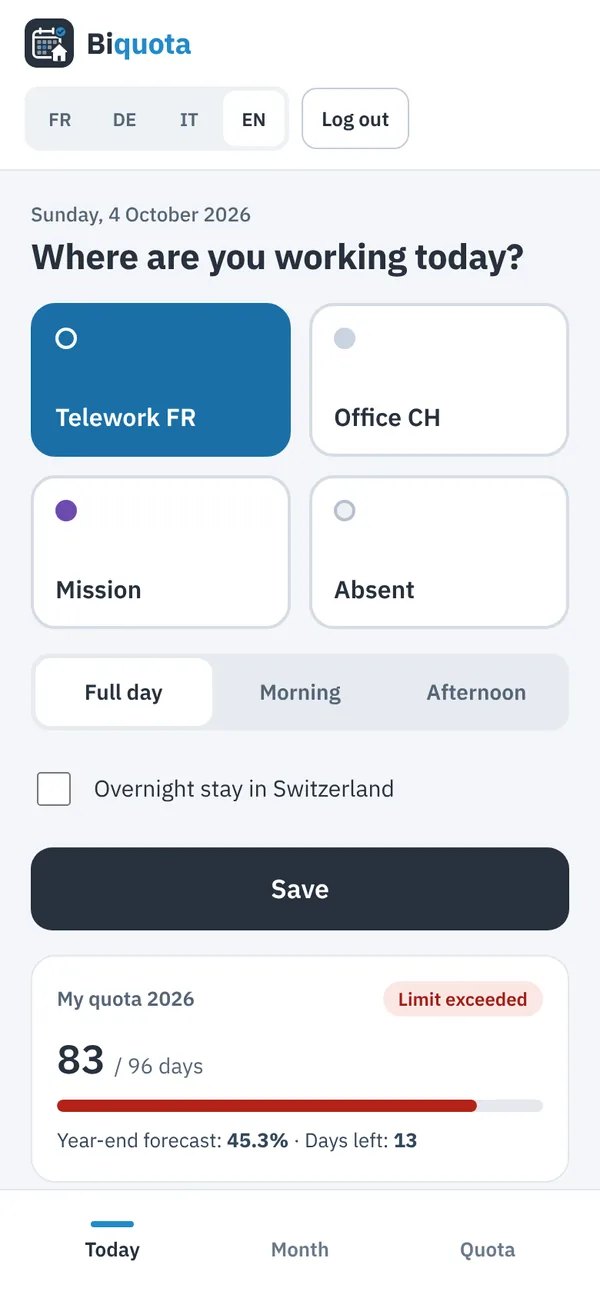
On the phone they choose telework, office, mission or absent. They see their quota and forecast. They can correct the last 7 days; older days are corrected by HR with a reason.
How it works
The whole journey, from the first entry to the January report.
Example with a fictitious company (Muster Industrie SA) and demo data.
On the phone they choose telework, office, mission or absent. They see their quota and forecast. They can correct the last 7 days; older days are corrected by HR with a reason.
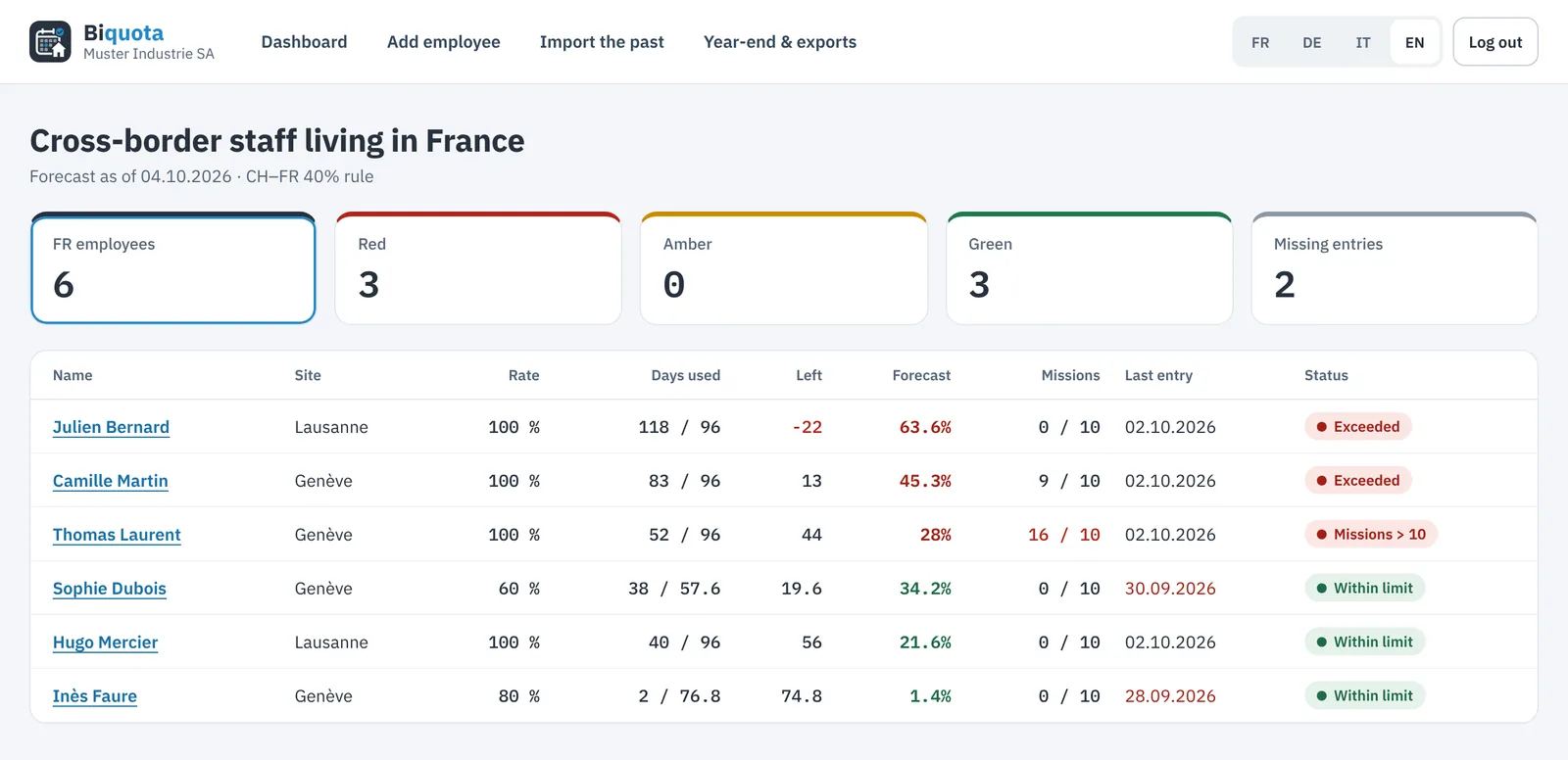
Every cross-border employee with days used, balance, year-end forecast and missions. Red, amber or green: the cases that need action come first.
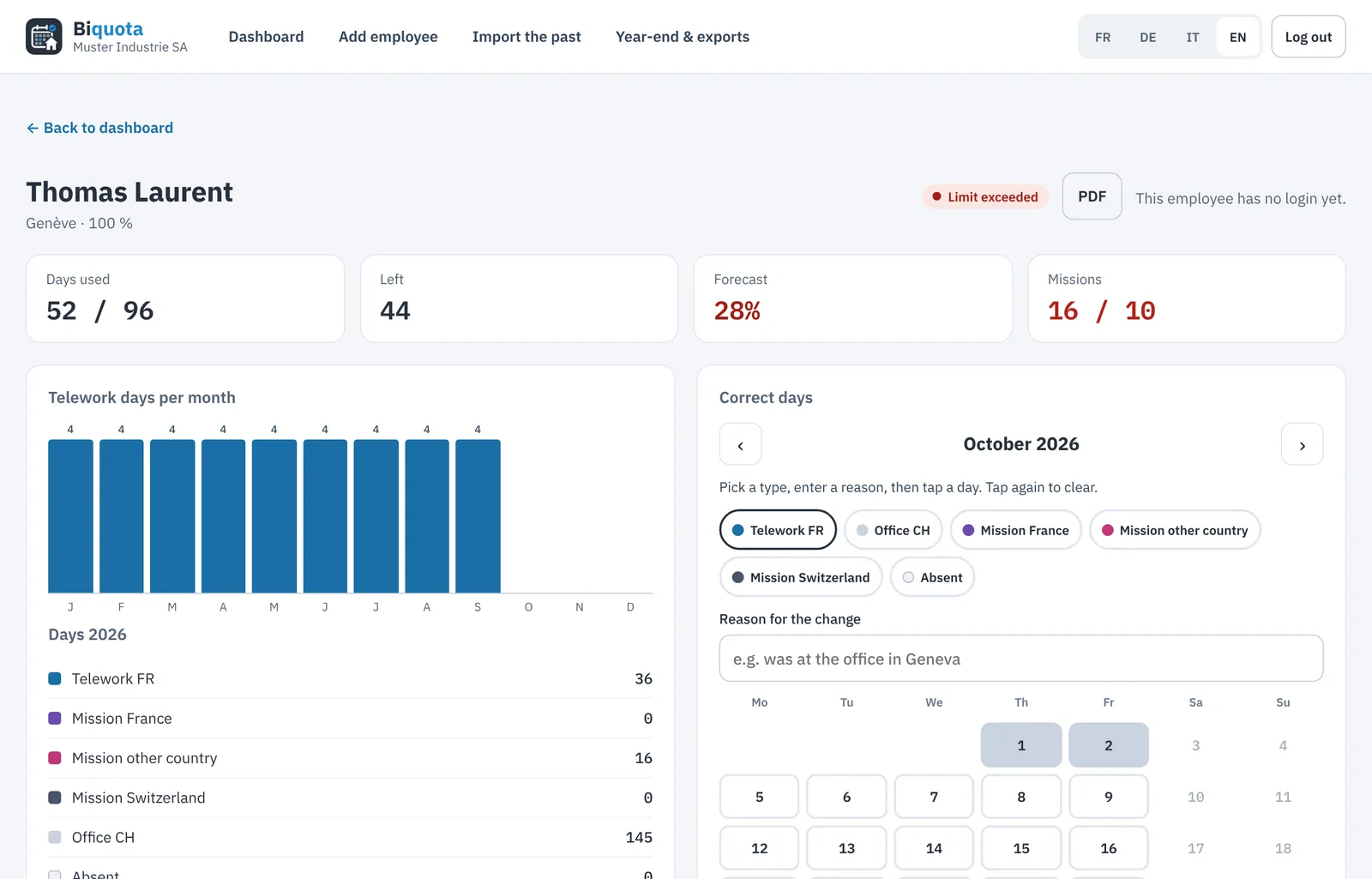
Month by month, by type of day. An HR correction needs a reason and appears in the history.
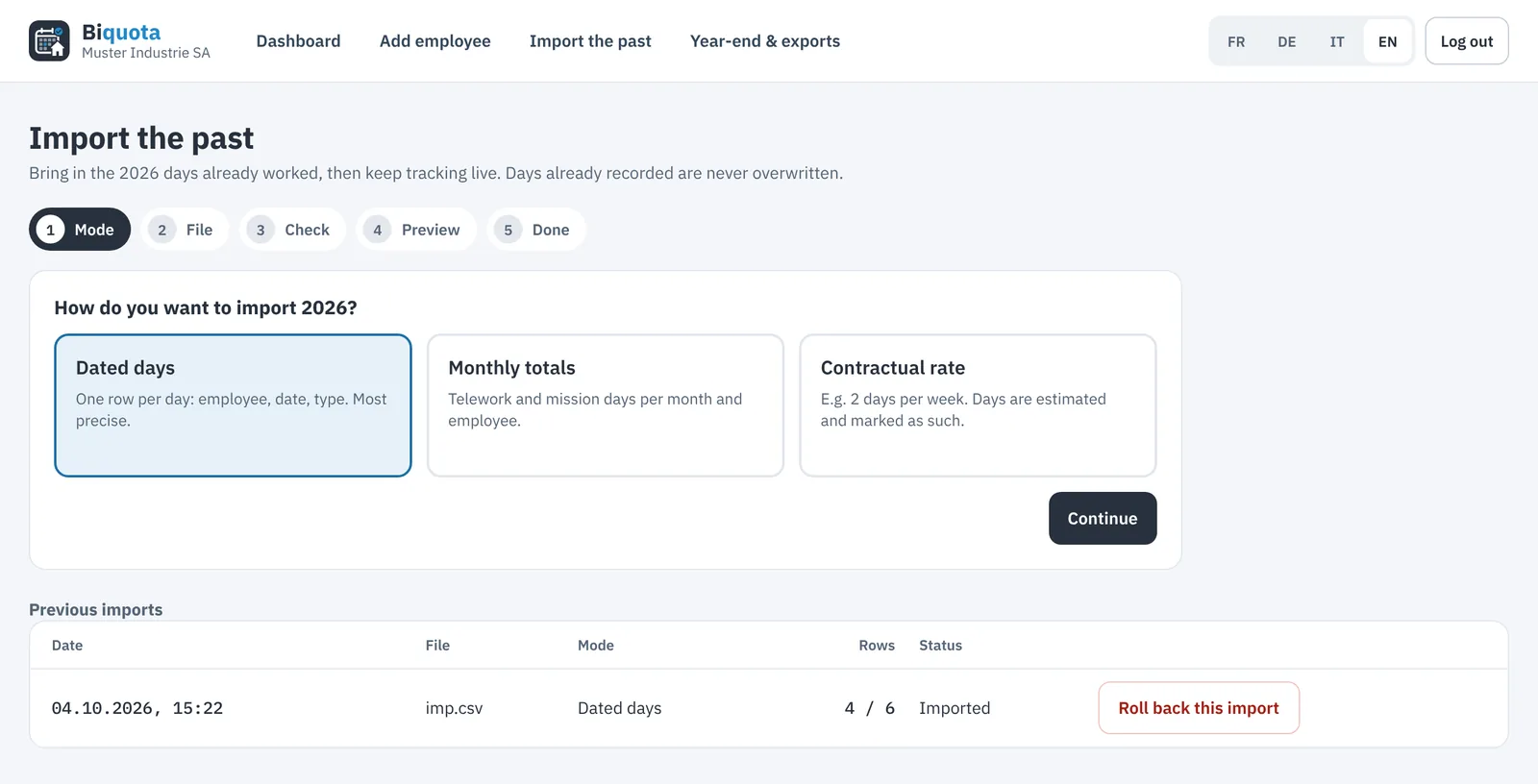
Dated days, monthly totals or contract rate. A preview shows the effect on each rate before the import.
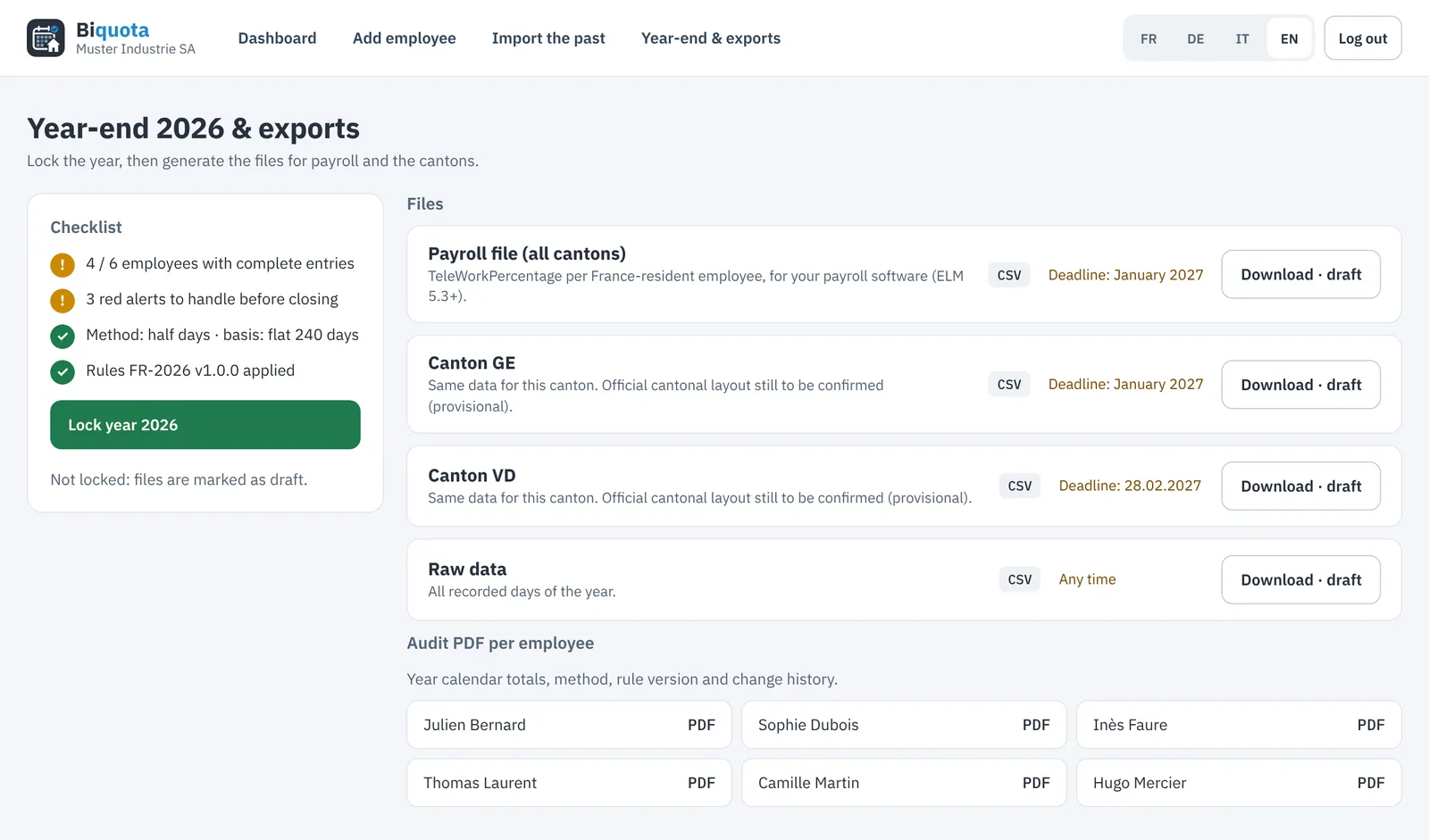
Checklist, year lock, payroll file, files per canton and audit PDFs. Every download is logged.
Try it with your own employees.
Start today and import the current year in minutes.